v3.1.0
TariffCell

The cross-vertical tariff row on the CustomCell base.

-- -- -- 3.1.0
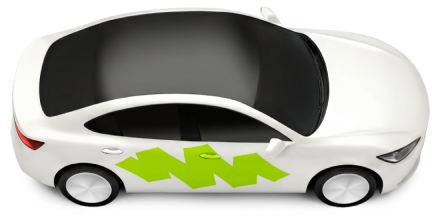
Economy
4 · 5 min
$16
Overview

  • 1
    Columns
  • 2
    Rows
  • 3
    With status
  • 4
    Skeleton
1
Economy
4 · 5 min
$16 was $20
2
Intercity shared ride 999 999 ₸
4 · 5 min
3
Economy
4 · 5 min
$16
Good price – more offers
4

States

Three states: Standard, Unavailable, Skeleton. Selected / not selected are NOT this component's states — the border (--surface-contrast-overlay, s2 inside at radius s28) and the selection belong to the tariff card organism, out of scope by the owner's call.

Standard

Economy
4 · 5 min
$16
1
  • 1
    No Own Surface The cell ships no background and no border — the tariff card provides both; the demo host paints --background-primary under it. A standalone instance re-points --tariff-cell-fill to a background-group token only.

Unavailable

Economy
4 · 5 min
$16
1
  • 1
    The Image Goes Grayscale Set via the StartSlot 3D-service Status property in Figma; on the web tariff-cell--unavailable desaturates the image. The texts keep their Default styles — the host adds the real disabled semantics on its interactive wrapper.

Skeleton

1
  • 1
    Placeholders, No Status Line The StartSlot swaps to the skeleton / tariff ghost vehicle over the same squircle (an illustration — no wave of its own); name / subtitle / price become --skeleton-on-white bars with the --skeleton-wave sweep (--pattern-shimmer); the Description / Status line is not shown by contract.

Anatomy

Built on [CustomCell] 3.3 — the slot structure and spacing logic are inherited. The Figma staging spreads the variability over six satellite block sets (the conditional-logic workaround); this contract folds it back together.

Economy
4 · 5 min
$16 was $20
Good price – more offers
1
2
3
4
  • 1
    StartSlot The X / tariff picture — var(--sp-s64) × var(--sp-s56) minimum, top aligned, swapped per tariff. Two layers: the var(--surface-on-white) squircle (var(--sp-s56), radius var(--sp-s20) — a CSS layer, theme-substituted) under the per-vehicle tariff-full window export, right-flush in the slot; per-vehicle crops are artwork data.
  • 2
    Name Column The tariff name (Heading 4, hug) with up to two 16×16 icons at var(--sp-s4): surge-up in --accent-blue1, info-outline in --text-and-icon-secondary — then persons · time (person-outline + Compact Body, hidden by the Persons boolean).
  • 3
    Price Column Heading 4, single line, top aligned; the optional strikethrough price (Compact Body, struck) var(--sp-s4) below. The Price boolean hides the whole column — e.g. when the price lives in the numeric stepper.
  • 4
    Description / Status One optional bottom line (the ⚫️ boolean), four configs that never combine: Description (multiline, no limit) · Recommended (play-filled, Secondary) · Good price (chevron-fill-up, --text-and-icon-success) · Low price (chevron-fill-down, --text-and-icon-warning) — statuses are one line, ellipsized.

Layout

All spacings are bound to SP/100% ratio tokens — use the tokens, not fixed values. The cell fills the host's width (checked 280–420): the name column and the status stretch, the price and persons · time hug.

General · Columns and Rows

Economy
4 · 5 min
$16 $20
Good price – more offers
Columns — maximal configuration
Intercity $16
4 · 5 min
Two hours on the way, free water and Wi-Fi on board
Rows — maximal configuration: one line, the price hugs the right edge
Intercity shared minivan ride
$16 $20
4 · 5 min
Rows — the two-line configuration: the price pair on the second line, the only place the strikethrough appears
  • Box var(--sp-s12) — top, bottom and left padding (3.0 had s10 vertically).var(--sp-s16) — right padding.var(--sp-s28) — corner radius, the same as the tariff card.var(--sp-s64) × var(--sp-s56) — the StartSlot minimum, clipped at var(--sp-s20) on all four corners.
  • Gaps var(--sp-s12) — StartSlot to content.var(--sp-s8) — the two columns of the Columns layout.var(--sp-s4) — every inner gap: name to icons and between icons, title row to persons · time, price to strikethrough (Below in Columns; Aside only on the second Rows line), text row to status, icon to text inside the persons and status lines (the canvas shows these two with one band — the gaps are collinear), and the two title lines of the two-line Rows configuration.
  • Columns vs Rows Columns (default, Ride Hailing): the price lives in the right column, Strikethrough Off | Below. Rows (Intercity): the price joins the title row and always hugs the right edge — with no strikethrough on that line. A long name switches to the two-line configuration: the price pair moves to its own second line, left-aligned under the name — the only place the Rows strikethrough (Aside) appears. The price column is not used in Rows; the Price boolean hides the price in both layouts. A long name clips at the name-column edge in Columns (no ellipsis).
  • RTL Inherited from the Cell family — the row mirrors; the tariff illustrations carry their own RTL (and Flat) variants: in RTL=true the base squircle right-anchors in the box and the overhang flips to the left — never a CSS flip of the LTR asset.

Animation

  • 1
    Static By Itself TariffCell declares no motion tokens — press belongs to the host (the Cell family --component-push-highlight-in family when the row is tappable), selection to the tariff card organism.
  • 2
    Skeleton Sweep --pattern-shimmer — the --skeleton-wave gradient over --skeleton-on-white placeholders; zeroed under reduced motion at the token.
Live — the DS shimmer sweeps the placeholders while tariff data loads

Usage

  • 1
    Part Of The Tariff Card, Or A Plain List Row The organism (border, numeric stepper, notch — Ride Hailing) hosts the cell; standalone it rows a tariff list (Intercity). Either way the SURFACE is the host's.
  • 2
    Long Names Go To Rows Columns clips names at the column edge without an ellipsis and may hide the trailing icons — switch the layout, don't fight the clip.
  • 3
    The Stepper Owns The Price Sometimes When the numeric stepper shows the fare, hide the cell's own price with the Price boolean — never show two prices.
Economy
4 · 5 min
$16
Good price – more offers
Moto
1 · 3 min
$16
Everyday moto rides
✓ A list of tariffs on one host surface — each row is a TariffCell
Economy
4 · 5 min
$16
✕ Selection drawn on the cell itself — the border and the selected state are the tariff card's

Accessibility

Economy
4 · 5 min
$16 was $20
Good price – more offers
1
2
  • 1
    The Former Price Is Phrased, Not Struck Struck glyphs have no accessible meaning: the strikethrough price is aria-hidden and a visually-hidden "was $20" phrase sits beside it — two bare numbers in a row are a defect.
  • 2
    Status Text Is The Channel Good price / Low price colours (--text-and-icon-success / --text-and-icon-warning) and their chevrons are reinforcement — the TEXT carries the meaning; the icons are aria-hidden.
  • One Focus Area, The Host's Semantics The cell reads as one element — name, price, persons · time, status in order. A tappable row wraps it in the host's control; the selected-tariff group is a radio group owned by the tariff card organism.
  • Everything Visual Is Decorative The tariff image and every 16×16 icon are aria-hidden; surge and info meanings must reach the user through the host's explanation surface, never the icon alone.
  • Unavailable And Skeleton Are Host States Grayscale announces nothing — the host marks the row disabled; the skeleton cell is aria-hidden under an aria-busy container.